Fixing the "White Page of Death" in Astro & Cloudflare
Encountering the "White Page of Death" can be frustrating for developers, especially when it disrupts the deployment of a project. This issue can arise due to several factors when working with platforms like Astro and Cloudflare. Let's explore four critical bugs and their fixes to help you get your pages back up and running smoothly.
Resolve blank pages
The appearance of blank pages is a common symptom of configuration errors. To address this, you need to ensure your settings are correctly defined:
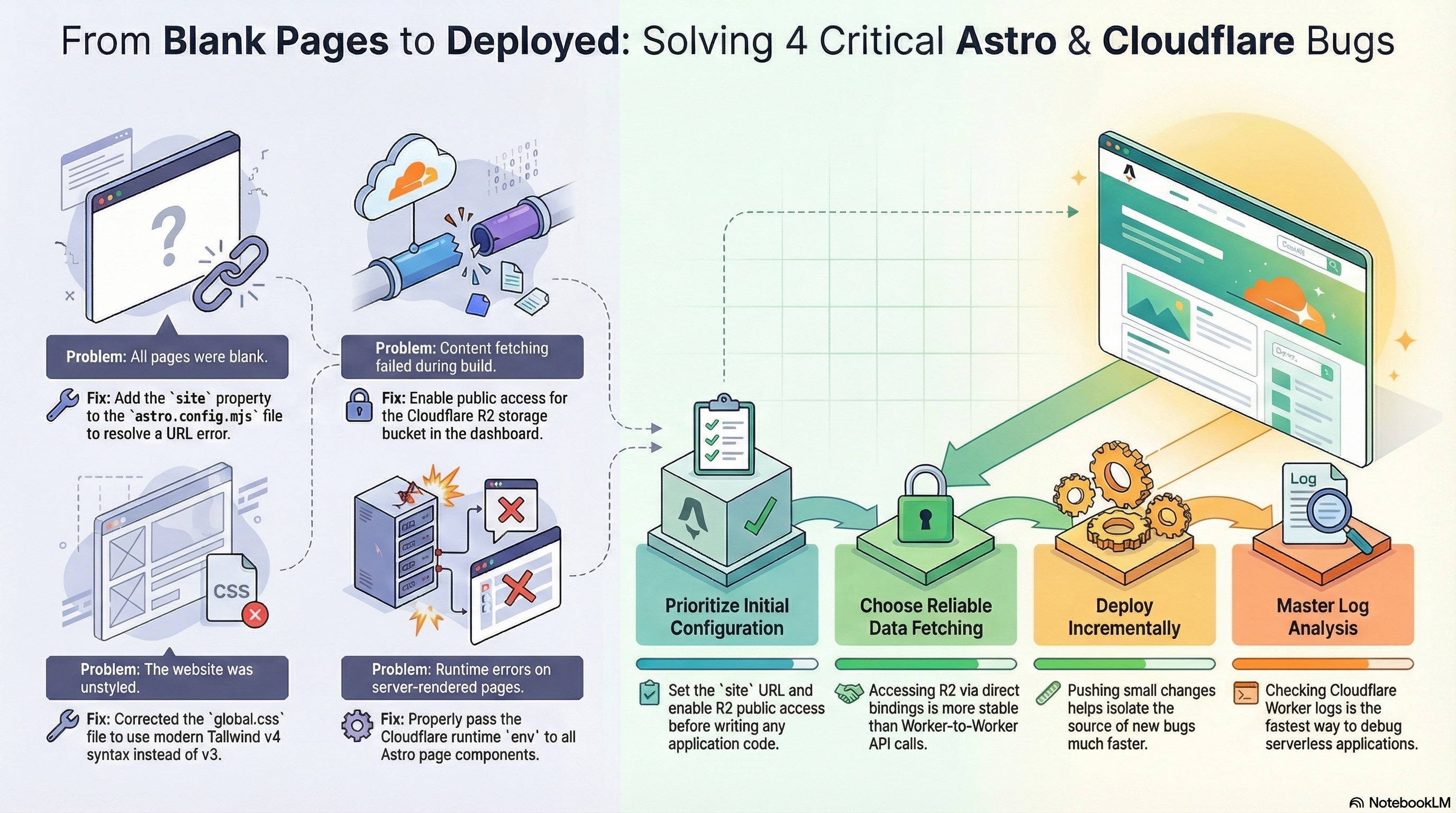
- Problem: All pages are blank due to a URL error.
- Fix: Add the
siteproperty to yourastro.config.mjsfile. This resolves the URL issue, allowing your site to correctly interpret paths and links.
Enable content fetching
Sometimes, content fetching may fail during the build process, leading to incomplete or non-functional pages. Here's how to tackle this problem:
- Problem: Content fetching fails during the build.
- Fix: Enable public access for the Cloudflare R2 storage bucket via the dashboard. This ensures your content can be accessed and fetched correctly during deployment.
Style your website
An unstyled website can confuse users and make your site look unprofessional. Ensuring your stylesheets are properly configured is crucial:
- Problem: The website appears unstyled.
- Fix: Update your
global.cssto use the modern Tailwind v4 syntax instead of v3. This correction allows your styles to load and apply correctly across your site.
Address runtime errors
When server-rendered pages encounter runtime errors, it can halt functionality and user interaction. Here’s how to resolve these runtime issues:
- Problem: Runtime errors occur on server-rendered pages.
- Fix: Pass the Cloudflare runtime
envto all Astro page components adequately. This ensures your pages have the necessary configurations to operate effectively without miscues.
Best practices for preventing issues
To effectively prevent the "White Page of Death" and similar issues, follow these best practices:
Prioritize initial configuration
Set the site URL and enable R2 public access before diving into application code. Proper initial setup can prevent a host of issues down the road.
Choose reliable data fetching
Accessing R2 directly is more stable than relying solely on Worker-to-Worker API calls. This stability can significantly reduce runtime errors.
Deploy incrementally
Make incremental changes to your deployment process. This practice helps isolate and identify new bugs quickly, allowing for efficient debugging and refinement.
Master log analysis
Regularly check Cloudflare Worker logs. Logs are an invaluable tool for diagnosing and resolving serverless application issues efficiently.
By addressing these common pitfalls and employing best practices, you can ensure a smoother, more stable deployment for your Astro and Cloudflare-based projects. Happy coding!