AI-Assisted Documentation: Streamline Your Workflow
One of the hardest parts of software development isn't writing the code—it's remembering to document it.
We've all been there: you finish a 4-hour coding sprint, the feature works perfectly, and you just want to close the laptop. The last thing you want to do is update the `CHANGELOG.md` or write a wiki entry.
But what if your AI assistant could do that for you?
The "Agentic" Workflow
I recently set up a system in my Astro project where I can simply tell my AI agent: /wrap.
It doesn't just "write some text." It follows a strict, repeatable process defined in a workflow file.
How It Works
I created a file at `.agent/workflows/wrap.md`. This isn't code; it's a set of instructions for the AI. Think of it as "Standard Operating Procedures" for my digital intern.
Here is the actual workflow file I use:
Documentation Update Workflow
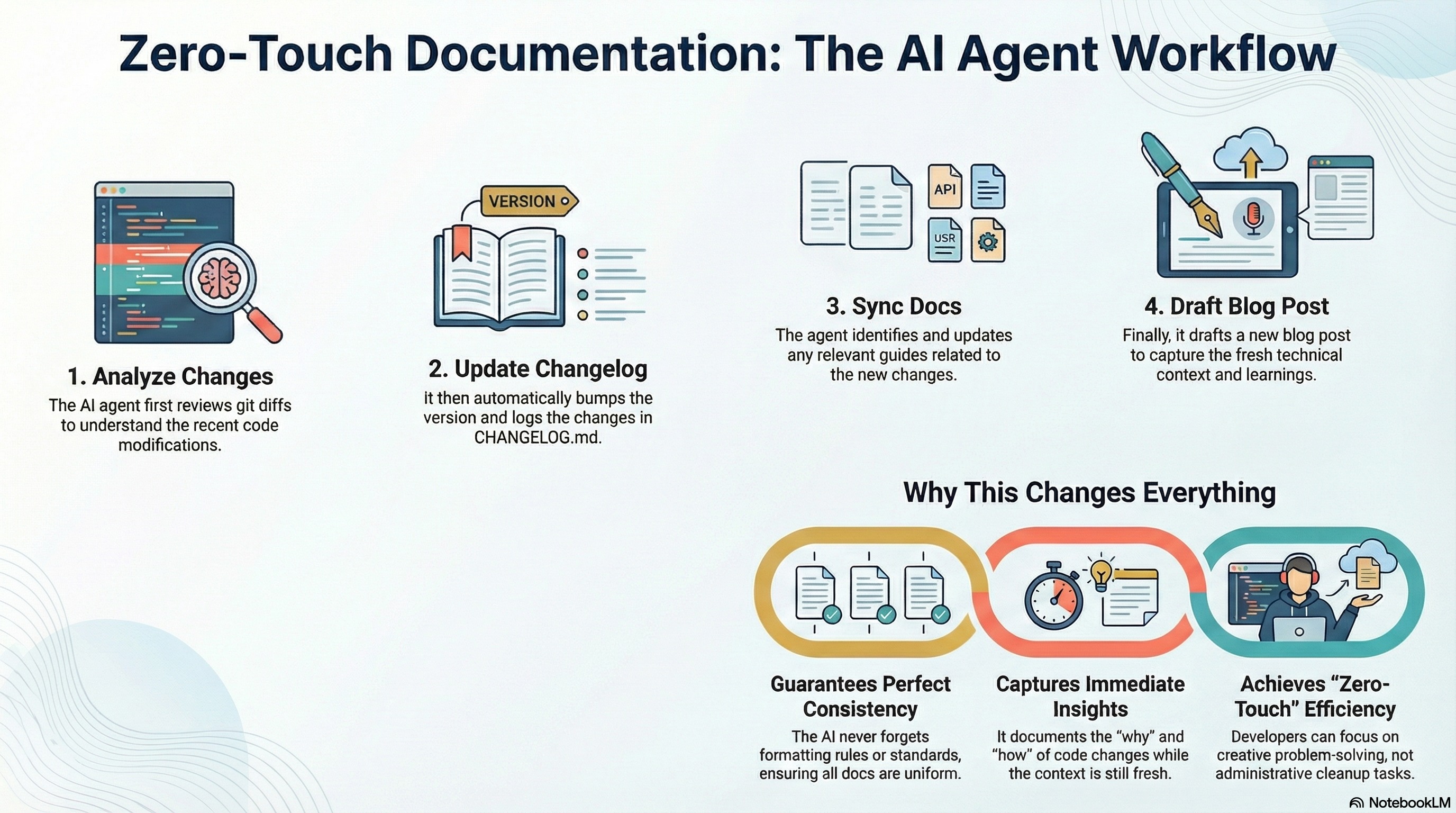
1. Analyze Changes: Look at git diffs to see what we built.
2. Update Changelog: Bump the version and log changes in `docs/CHANGELOG.md`.
3. Sync Docs: Update any relevant guides in `docs/guides/`.
4. Draft Blog Post: Write a new post in `docs/blog-drafts/` about what we learned.
Why This Changes Everything
1. Consistency
The AI never forgets the format. It never forgets to add the date. It follows the [Keep a Changelog](https://keepachangelog.com/en/1.0.0/) standard every single time.
2. Immediate Reflection
By forcing the creation of a blog draft immediately after coding, I capture the fresh context. I might edit it later, but the raw technical details—the "why" and the "how"—are captured while they are still fresh in my mind (and the AI's context window).
3. "Zero-Touch" Documentation
Just like my "Zero-Touch" publishing workflow for this blog, this is "Zero-Touch" documentation. I focus on the creative problem solving, and the agent handles the administrative cleanup.
The AI Angle
The key to making this work is Context.
When I ask the agent to run this workflow, it already knows everything we just discussed. It knows why we refactored that component or why we added that environment variable. It can write a better changelog entry than I can because it has perfect recall of the session.
If you're building with AI, don't just use it to write code. Use it to maintain the legacy of that code.